

Installation
How to install Ucoder Insight for Next.js, React, Vite, and Vanilla JS.
Installation
To start using Ucoder Insight, you need to install the SDK in your project. We provide dedicated support for modern frameworks and a global CDN for vanilla JavaScript.
Step 1: Create Your First Project
- Log in to your Ucoder Insight Dashboard.
- Click
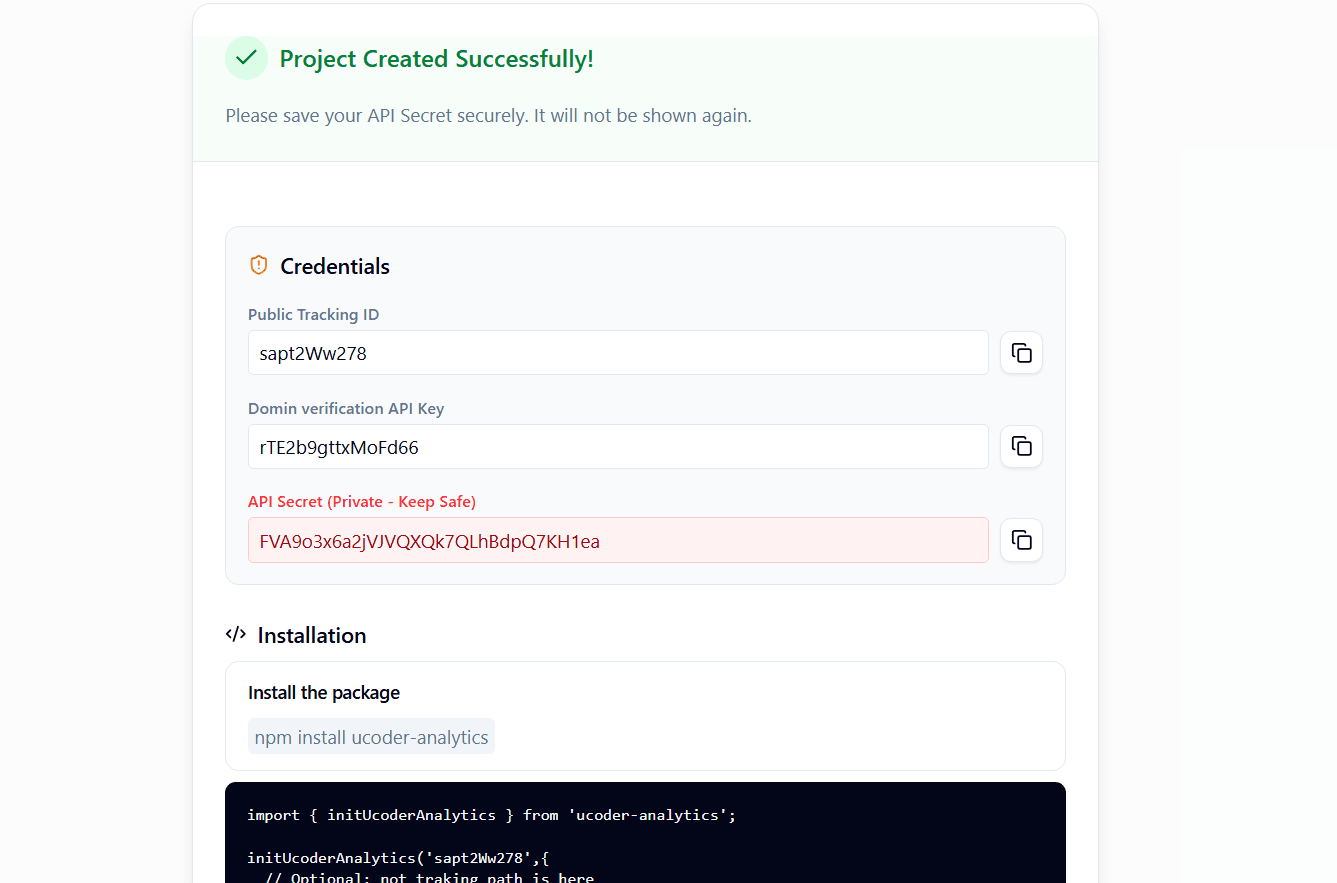
Create Projectand fill in the required details (project name, website URL, etc). - You'll be taken to
Settings>General>API Key, where you'll find your tracking ID.

Step 2: Get Your API Key
- Go to
Dashboard>Select Project>Settings>General>Public Tracking Id. - Copy your Public Tracking ID — you'll need it during installation.
Note
The API key is designed to be public and is safe to expose in client-side code. You do not need to hide it behind a server. Your API secret does not show publicly. Read more about keys and secrets in Configuration.
Step 3: Verify Domain Ownership
Before integrating Ucoder Insight, ensure you verify your domain ownership in the dashboard. This step is crucial for accurate data tracking and security. You can verify your domain by adding a DNS record or a script tag. See the Domain Verification Guide for detailed instructions.
Step 4: Choose Your Integration Framework
We officially support Next.js, React, Vite, and Vanilla JS. Support for other frameworks is on our roadmap.
npm install ucoder-insightWorks with both App Router (Next.js 13+) and Pages Router.
App Router — app/analytics.tsx:
"use client"; // Required for Next.js App Router
import { useEffect } from "react";
import { initUcoderInsight } from "ucoder-insight";

export default function Analytics() {
  useEffect(() => {
    initUcoderInsight("YOUR_PUBLIC_TRACKING_ID", {
      // apiUrl: "Your_Custom_Backend_URL", // for custom backend
      // debug: true, // logs all events to console, no backend call
    });
  }, []);

  return null;
}
Then import it into your root app/layout.tsx:
import Analytics from "./analytics";

export default function RootLayout({ children }) {
  return (
    <html>
      <body>
        {children}
        <Analytics />
      </body>
    </html>
  );
}
Pages Router — pages/_app.tsx:
import { useEffect } from "react";
import { initUcoderInsight } from "ucoder-insight";

export default function App({ Component, pageProps }) {
  useEffect(() => {
    initUcoderInsight("YOUR_PUBLIC_TRACKING_ID");
  }, []);

  return <Component {...pageProps} />;
}
Now that you have installed and initialized Ucoder Insight, The SDK will automatically track page views, performance metrics, and errors . You can also send custom events to capture specific user interactions. See Custom Events for more details.