Funnels
Measure progress between ordered business events.
Funnels
A funnel represents an ordered path such as landing_view → signup_started → signup_completed. Send one custom event for each meaningful step, then compare the number of events at each step in the dashboard.
Event design
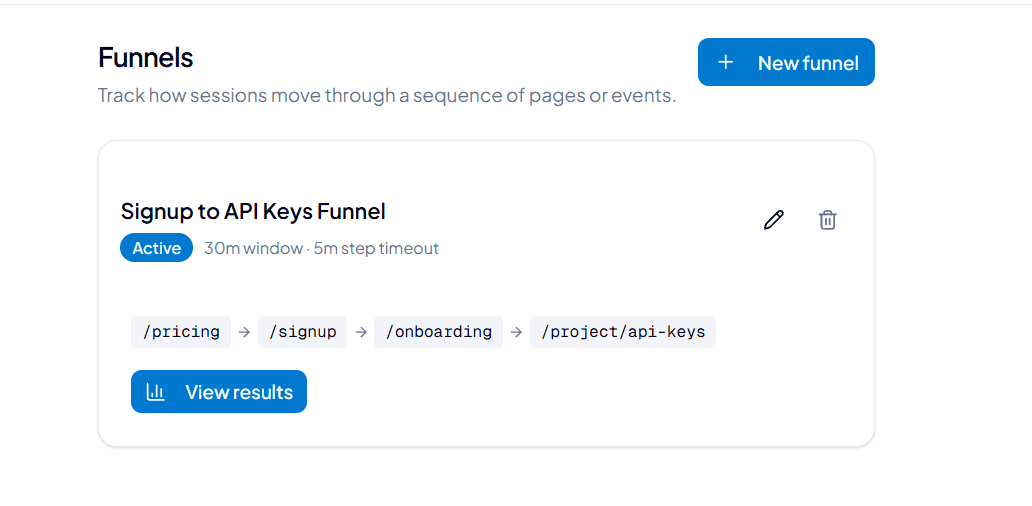
Go to the dashboard and select the "Funnels" tab. From there you can create a new funnel by defining an ordered sequence of page paths or events. You can also filter by properties to see how different segments of users progress through the funnel.
Create a funnel
- Navigate to the "Funnels" tab in the dashboard.
- Click "Create Funnel".
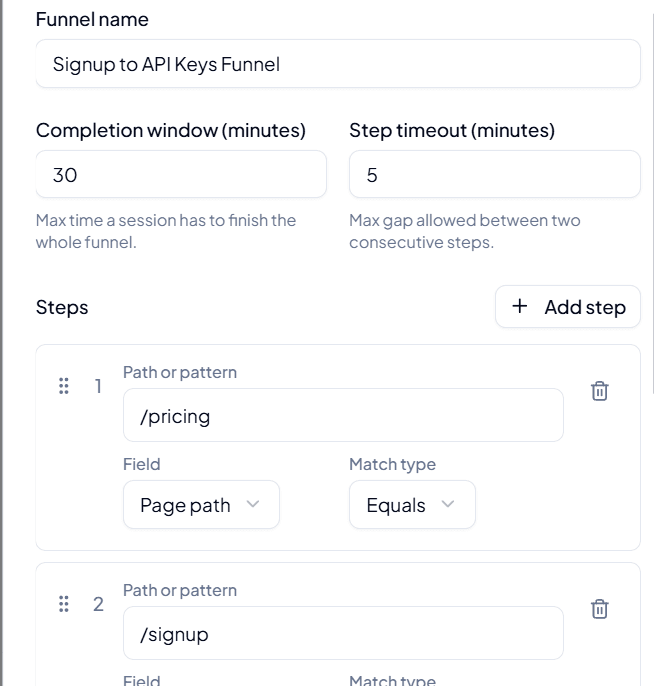
- Give the funnel a name, and set the completion window and step timeout (see Funnel options below).
- Add at least two steps. For each step, enter the path or pattern to match, choose the field to match against, and pick a match type (see Funnel step options below).
- Reorder or remove steps as needed, then save the funnel.
Funnel step options
| Option | Required | Type | Description |
|---|---|---|---|
| Path or pattern | Yes | string | The value to match for this step, e.g. /pricing. |
| Field | Yes | string | The attribute to match against. One of: Page path, Element, Event type, Action type. |
| Match type | Yes | string | How the pattern should be matched. One of: Equals, Not equals, Contains, Starts with, Ends with. |
Field options
| Value | Description |
|---|---|
| Page path | Matches against the URL path of the page (e.g. /pricing). |
| Element | Matches against the clicked element (e.g. a button or link). |
| Event type | Matches against the type of event recorded (e.g. pageview, click). |
| Action type | Matches against the action associated with the event. |
Match type options
| Value | Description |
|---|---|
| Equals | Matches only when the value is exactly equal to the pattern. |
| Not equals | Matches when the value is not equal to the pattern. |
| Contains | Matches when the value contains the pattern anywhere within it. |
| Starts with | Matches when the value starts with the pattern. |
| Ends with | Matches when the value ends with the pattern. |
Keep success and failure outcomes explicit. Compare steps over the same date range and remember that ad blockers, navigation away, and failed network requests can reduce observed events.
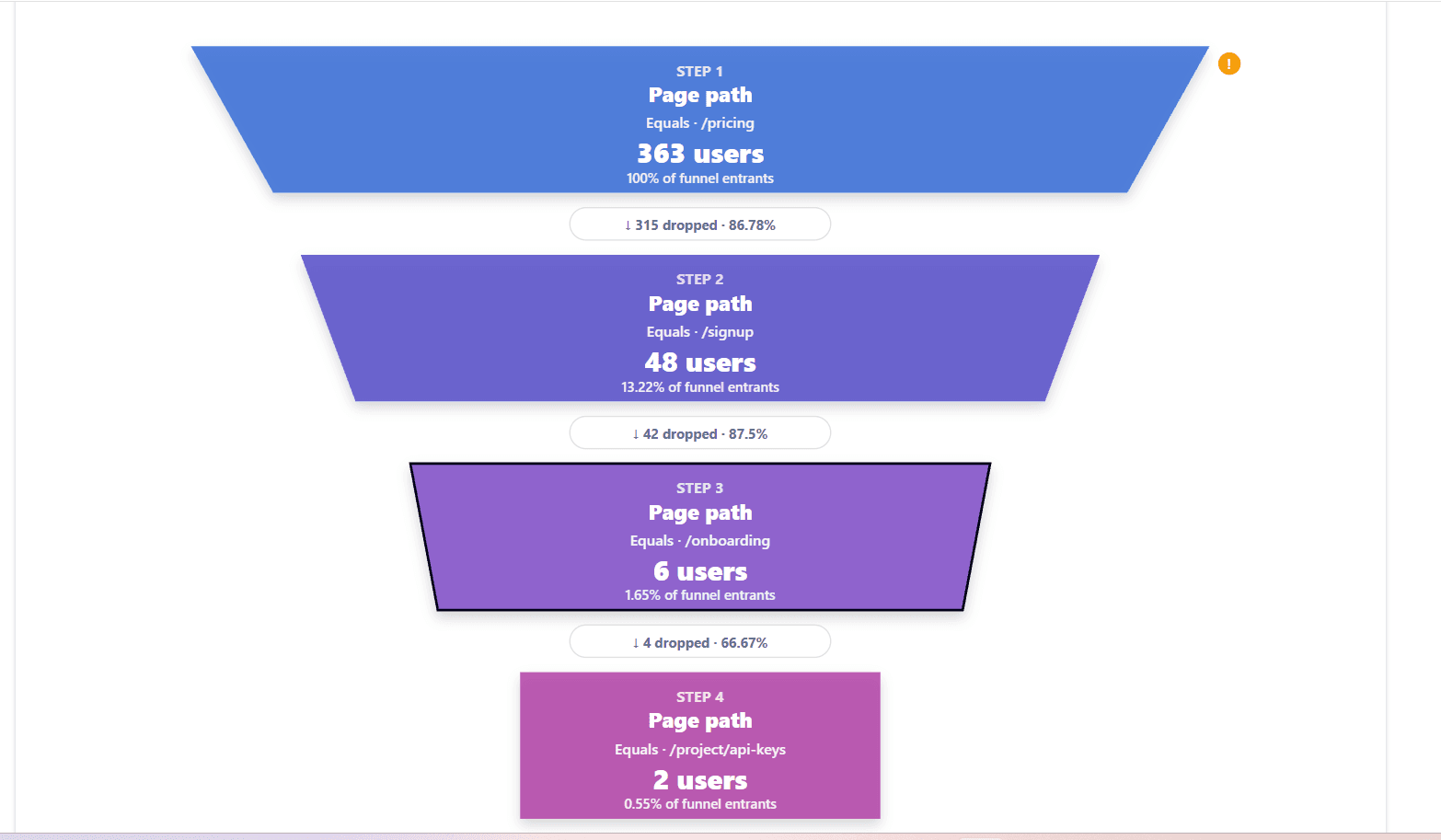
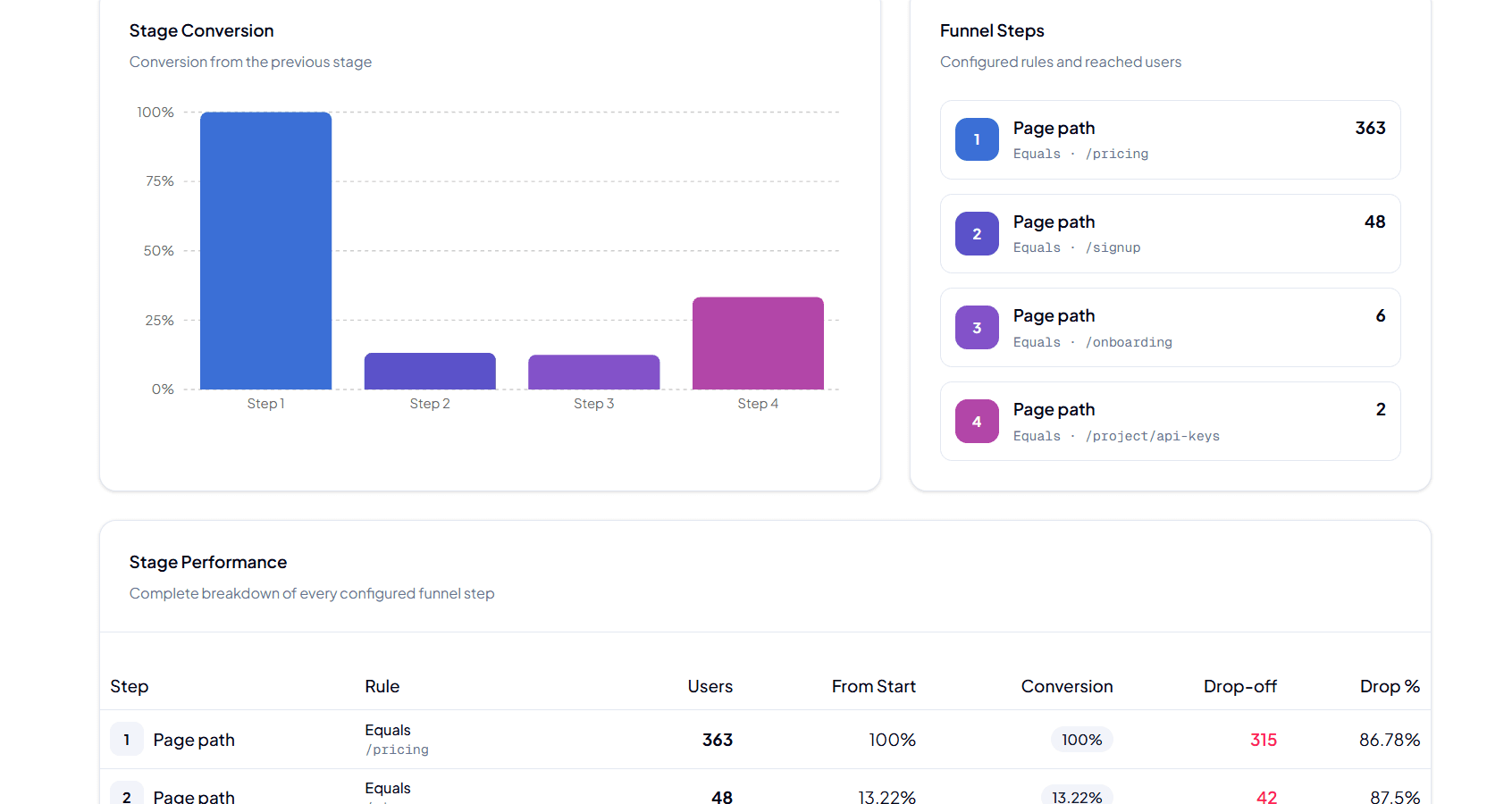
After the funnel is created, you can view the results in the dashboard. The funnel visualization will show the number of users who completed each step, as well as the conversion rate between steps.